A wireless access point is rarely the most visible part of a technology project, but it is often the component people notice first when it is wrong. Video calls freeze in the upstairs office. Music drops on the patio. A point-of-sale terminal loses connection during a rush. This wireless access point review explains what separates a dependable WiFi installation from a system that merely looks good on a spec sheet.
For most homes and businesses, the right answer is not simply “buy the newest WiFi standard.” Coverage, building materials, client density, wired infrastructure, and configuration matter just as much as the access point itself. A professionally planned system considers the entire network, from the internet connection and gateway to switching, cabling, and device placement.
What a Wireless Access Point Actually Does
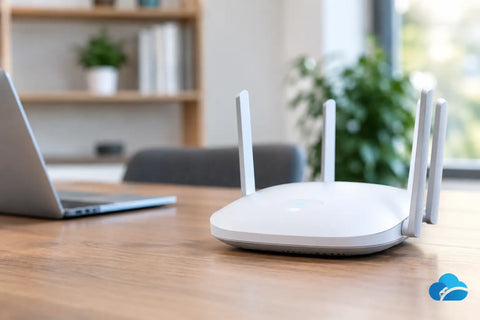
An access point connects wireless devices to a wired network. Unlike a consumer all-in-one router, an access point is designed to be placed where coverage is needed, usually on a ceiling, wall, or other central location. Multiple access points can work together under one network name so users can move through a home, office, restaurant, or warehouse without manually changing WiFi networks.
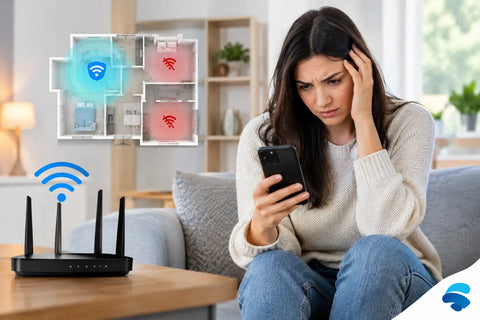
That design is especially useful in larger properties. One powerful router at one end of a building cannot reliably overcome concrete, brick, stone fireplaces, metal shelving, elevator shafts, dense plumbing, or multiple floors. Increasing transmit power may help at the edge of coverage, but it does not solve the return path: phones, laptops, cameras, and smart devices have limited transmit power of their own.
The practical solution is usually more thoughtful placement, not more volume. A well-positioned access point with a wired connection will typically outperform a distant, expensive router trying to cover an entire property alone.
Wireless Access Point Review: The Criteria That Matter
Coverage is about placement, not advertised square footage
Manufacturers often publish broad coverage estimates, but real-world conditions can reduce them dramatically. Open-plan offices and wood-frame homes are comparatively forgiving. Older construction, concrete floors, radiant heating, plaster walls, and commercial storage areas create a more demanding RF environment.
A site survey or experienced walkthrough helps identify where access points should be located. In a residence, that may mean one unit per floor and a purpose-built outdoor access point for a pool area or terrace. In a business, it may mean separate units for customer seating, back-office operations, staff devices, and inventory systems.
Ceiling placement is often ideal because it provides a clearer path to the rooms below and around it. Still, aesthetics and construction access matter. Wall-mounted designs can be the better choice in finished spaces, corridors, hotel-style properties, and locations where running cable above the ceiling is impractical.
Capacity matters more than speed claims
WiFi 6, WiFi 6E, and WiFi 7 access points can advertise very high aggregate speeds. Those figures describe a theoretical total under favorable conditions, not the speed one phone will see from across the building. The more useful question is how many active devices an access point can handle while maintaining a stable experience.
A household may have dozens of connected devices, including televisions, tablets, phones, speakers, security cameras, thermostats, appliances, and gaming systems. A restaurant can have staff tablets, payment terminals, guest devices, streaming displays, cameras, and office equipment operating at the same time. The network needs to manage that traffic without allowing low-priority devices to interrupt work-critical applications.
Newer access points improve efficiency when many compatible devices are active. They can divide airtime more effectively and reduce congestion. But an upgrade delivers the best results when the switching, uplink speed, and internet service are sized to support it.
Band selection and spectrum require a plan
The 2.4 GHz band travels farther and works well with many older smart devices, but it is crowded and has limited clean channel options. The 5 GHz band provides more capacity and is usually the primary choice for laptops, phones, streaming devices, and modern business equipment. The 6 GHz band, available with WiFi 6E and WiFi 7 equipment, offers additional spectrum for newer clients in dense environments.
There is a trade-off. Higher-frequency bands generally have shorter range and are more affected by walls. A 6 GHz access point can be an excellent fit for a high-performance office, media room, or modern home with compatible devices nearby. It is not automatically the answer for extending coverage to a detached garage or the far edge of a property.
A properly configured system steers devices toward appropriate bands while preserving compatibility for older equipment. It also uses channel planning to reduce interference between neighboring access points and nearby networks.
Wired backhaul is the performance foundation
The best access point cannot compensate for a weak connection back to the network. Whenever possible, each access point should connect to a network switch using Ethernet cabling. This wired backhaul provides consistent throughput, low latency, and dependable roaming between coverage areas.
Mesh networking has a place. It can be useful where cabling cannot be installed, during a temporary deployment, or to reach a small area where demand is modest. The trade-off is that a wireless mesh link uses WiFi spectrum to carry network traffic between access points. Performance can decline with distance, obstacles, and additional mesh hops.
For a new build, renovation, office build-out, or major technology upgrade, running Cat6 or better cabling to planned access point locations is one of the most valuable infrastructure decisions a property owner can make. It keeps options open for future WiFi upgrades without reopening walls.
PoE simplifies installation
Most business-class access points use Power over Ethernet, or PoE. One Ethernet cable carries both data and power, eliminating the need for an outlet at the installation point. That makes ceiling and wall installations cleaner and more flexible.
However, PoE requirements vary. Some advanced access points need higher-power PoE standards to enable all radios, ports, or features. Before selecting hardware, confirm that the switch or injector can supply the required power. This is a small detail that can limit performance if overlooked.
Choosing the Right Access Point for the Property
For apartments and smaller homes, one or two well-placed access points may be enough. The focus should be on strong coverage where people actually use devices: home offices, living spaces, bedrooms, and outdoor areas. A premium access point may be worthwhile for heavy streaming, gaming, large file transfers, or a high number of smart devices, but it should not replace thoughtful placement.
For larger homes, access point selection should be part of a broader network design. Separate network segments can protect smart home devices, guest devices, and primary computers. A managed gateway and switch make it easier to monitor performance and control access without creating a complicated daily experience for the homeowner.
Businesses should begin with operational needs. An office may prioritize video conferencing, cloud applications, and secure guest WiFi. A retail store may need dependable coverage at checkout, inventory areas, and employee spaces. Restaurants need staff systems protected from guest traffic, while warehouses may require coverage engineered around high ceilings, racks, machinery, and mobile devices.
Outdoor coverage deserves its own review. Indoor access points placed near windows are not a substitute for weather-rated outdoor hardware. An outdoor model is designed for temperature changes, moisture, and better coverage across patios, entrances, yards, and work areas. Proper cable routing, surge protection, and mounting are equally important.
Features Worth Paying For
Managed access points provide visibility that consumer gear usually cannot. A centralized platform can show connected devices, signal quality, channel use, roaming behavior, and potential problems. It can also simplify firmware updates and allow a technician to troubleshoot without guessing.
Security features matter just as much. Business and residential networks benefit from separate guest networks, WPA3 where compatible, client isolation for public WiFi, and VLAN segmentation for cameras, access control, smart devices, and internal computers. These measures reduce the chance that one compromised or misconfigured device can reach everything else on the network.
Do not buy features simply because they sound advanced. Multi-gigabit ports, 6 GHz radios, and WiFi 7 capability are valuable when the property has compatible clients, sufficient wired infrastructure, and a real performance need. For many installations, a well-designed WiFi 6 system with wired backhaul will provide an excellent experience at a more sensible project cost.
Installation Can Make or Break the Review
Hardware reviews often focus on radio specifications, but the finished installation determines the user experience. Access points should be placed away from major obstructions and sources of interference when possible. Cables should be labeled, terminated correctly, tested, and connected to a properly sized switch. Network settings should be documented so the system can be serviced and expanded later.
This is where a full-service integrator adds practical value. Wall Street Networks can evaluate the layout, existing wiring, internet service, connected devices, and future goals before recommending equipment. The result is a network designed around how the property is used, not a collection of devices selected in isolation.
The right wireless access point is the one that disappears into daily life. It supports work, entertainment, security, and operations without requiring users to think about signal bars or reconnecting devices. Start with the property, plan the wired foundation, and select access points that meet the real demand today while leaving room for what comes next.