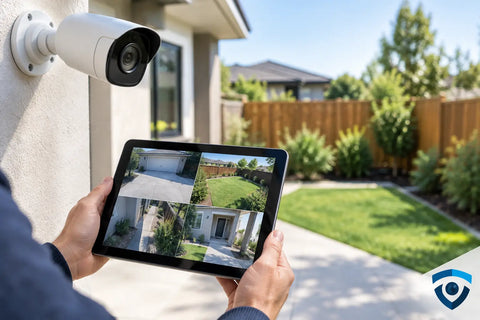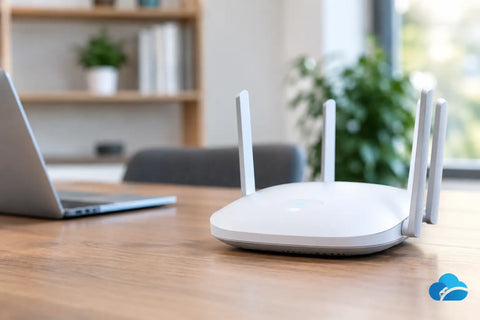
A video call freezes in the home office. The point-of-sale tablet drops its connection near the back of a restaurant. A security camera shows as offline even though it is only one room away from the router. WiFi dead zones are rarely just a minor inconvenience. They interrupt work, frustrate guests, weaken connected security systems, and make expensive smart technology feel unreliable.
The usual response is to buy a stronger router and hope for the best. Sometimes that helps. More often, the real issue is not internet speed or router power. It is the way WiFi signals move through a particular building, interact with construction materials, and compete with other devices. A dependable solution starts with understanding the space, not simply adding hardware.
What Creates WiFi Dead Zones?
A WiFi signal is radio frequency energy. It travels through open air reasonably well, but every wall, floor, ceiling, appliance, and piece of furniture changes its path. A router placed in a central open area may cover a compact apartment effectively. That same router can struggle in a larger home, a long retail space, a finished basement, or an office with multiple enclosed rooms.
Dense building materials are a common cause. Concrete, brick, plaster with metal lath, stone, radiant floor heating, metal doors, and Low-E glass can reduce signal strength significantly. In older buildings throughout the NY tri-state area, construction details that are invisible after renovation can be especially challenging. In newer properties, insulated walls, smart appliances, and energy-efficient glass can create their own coverage obstacles.
Router placement also matters more than most people expect. A network gateway tucked into a utility closet, media cabinet, basement corner, or behind a television starts at a disadvantage. WiFi cannot deliver consistent performance if the signal has to pass through several walls before it reaches the devices people use most.
Interference is another factor. Neighboring networks, Bluetooth devices, wireless speakers, cordless equipment, microwaves, and dense concentrations of connected devices can crowd available wireless channels. In offices, restaurants, and multi-unit buildings, the issue is often less about having a signal and more about having a clean, usable signal when the network is busy.
Why an Internet Speed Test Can Be Misleading
A strong speed test beside the router does not prove the entire property has good WiFi. It only confirms that one device, in one location, had a good connection at that moment. The real test is whether people can work, stream, make calls, use smart home controls, and access security systems where they actually need them.
For example, a homeowner may have fast fiber internet but still experience poor streaming in a primary bedroom, weak phone service on a patio, or intermittent connections to outdoor cameras. The internet service is not necessarily the problem. The wireless network inside the property may be poorly distributed.
Businesses face higher stakes. A weak connection can affect cloud applications, inventory devices, guest WiFi, payment terminals, digital signage, and surveillance. If employees work around unreliable WiFi by switching devices to cellular data or moving closer to the router, the network is already creating an operational problem.
How to Identify WiFi Dead Zones Before Buying Equipment
Start by identifying patterns rather than isolated incidents. Does the connection fail in the same room every day? Does performance get worse at certain times? Are only particular devices affected? These details help separate a coverage problem from an internet service issue, device problem, or configuration error.
Walk the property with a phone or laptop and test the connection in the areas that matter: bedrooms, offices, basements, conference rooms, stock rooms, patios, entryways, and camera locations. Pay attention to more than download speed. Look for connection drops, delays when loading pages, buffering, poor video-call quality, and devices that disconnect from the network entirely.
It is also useful to consider the network's purpose. A guest bedroom used occasionally has different requirements than a home office used for daily calls. A warehouse aisle may only need stable connectivity for scanners, while a conference room may need reliable performance for multiple laptops and video meetings. Good network design matches coverage and capacity to the way the space is used.
The Right Fix Depends on the Building
There is no single product that solves every weak-coverage problem. The right approach depends on square footage, floor plan, construction materials, number of users, connected devices, and whether the property needs indoor, outdoor, residential, or commercial coverage.
Repositioning can solve a simple coverage issue
If the existing router is capable but poorly located, moving it to a more central and open location may improve coverage. This is the lowest-cost option, but it has limits. It will not overcome a large footprint, multiple floors, dense walls, or a building where the internet handoff is fixed in a remote utility area.
Mesh systems can help, with the right backhaul
Mesh WiFi systems use multiple access points to extend coverage. They can be effective in homes where running cable is difficult, particularly when nodes have a clear wireless path to each other. The trade-off is that wireless mesh links share airtime with client devices, which can reduce performance as traffic passes from node to node.
For light browsing and casual streaming, that may be perfectly acceptable. For high-bandwidth homes, security cameras, gaming, video calls, or business operations, a wired backhaul is often the better answer. This means each access point is connected back to the network with Ethernet cabling rather than relying on a wireless relay.
Wired access points offer the most consistent performance
Professionally placed, hardwired WiFi access points are often the best long-term solution for larger homes and commercial spaces. They provide coverage from the locations where coverage is needed, rather than forcing one router to reach everywhere.
Ceiling-mounted or wall-mounted access points can deliver a clean installation while improving signal distribution. They also make it easier to expand the network later, whether that means adding an outdoor access point, supporting more staff devices, or integrating additional smart home and security equipment.
Outdoor coverage needs its own plan
A signal from inside the house is not a reliable plan for a backyard, pool area, patio, loading zone, or outdoor dining space. Exterior walls, windows, and distance can weaken it quickly. Outdoor-rated access points are designed for these environments and should be positioned with weather exposure, coverage direction, and cable routing in mind.
Network Design Matters as Much as Hardware
A high-quality access point cannot correct a poorly planned network. Coverage, capacity, wired infrastructure, switching, and device management all need to work together.
For a residence, that may mean separate network access for family devices, guests, smart home equipment, and security cameras. For a business, it can mean separating staff, guest, payment, and operational devices so one group does not compromise performance or security for another. Segmentation also makes troubleshooting more efficient when a device has an issue.
The physical network matters, too. Older cabling may limit speeds. An undersized switch may not provide enough power for multiple access points and cameras. A network closet without ventilation can create reliability problems that look like WiFi failures. These are the details a site assessment can reveal before equipment is selected.
Managed systems add another practical advantage: visibility. Rather than guessing why a device disconnected, an administrator can review access point health, client activity, signal quality, and network usage. This is particularly valuable for property managers and business owners who need dependable systems without spending their day troubleshooting technology.
When Professional Installation Is Worth It
A do-it-yourself solution can make sense for a small, open space with modest device needs. It becomes less practical when the property has multiple floors, difficult construction materials, outdoor requirements, extensive smart devices, cameras, or business-critical connectivity.
Professional installation is not simply about mounting access points. It begins with understanding the property and the demands placed on the network. The goal is to place equipment intentionally, use wired connections where they add value, keep cabling clean and serviceable, and configure the system for reliable daily use.
For homeowners, that can mean consistent WiFi from the office to the patio and stable connections for automation, entertainment, and security. For commercial clients, it can mean fewer interruptions at checkout, better coverage for staff, and a guest network that does not interfere with business operations.
Wall Street Networks designs and installs WiFi infrastructure around the realities of each home or business, from structured cabling and switching to access points, gateways, and ongoing network visibility. A properly designed network should feel unremarkable in the best possible way: it simply works where people need it.
If weak coverage has become part of the daily routine, treat it as a design issue rather than a router-shopping problem. A thoughtful assessment can turn the places people avoid using WiFi into the places where the network performs best.