A dinner rush can expose every weak point in a restaurant network. A card terminal takes too long to authorize, online orders stop reaching the kitchen, the POS loses connection, and staff are left explaining delays to guests. To reduce restaurant network downtime, treat the network as operational infrastructure, not a utility that only needs attention when something breaks.
Restaurants rely on more connected systems than ever. POS stations, kitchen display systems, payment terminals, staff tablets, ordering platforms, security cameras, door access, music, digital menus, and guest WiFi can all share the same building. When that environment is designed without clear priorities, one problem can affect the entire operation.
Know What Is Actually Causing the Outage
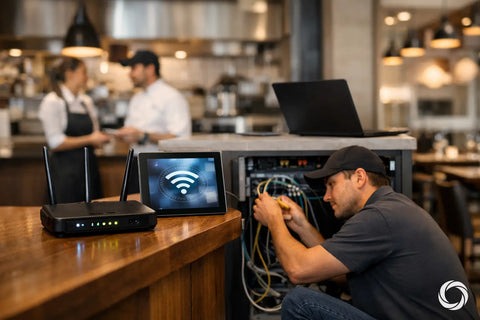
Not every network outage starts with the internet provider. A poorly placed WiFi access point, an overloaded consumer-grade router, an aging network switch, damaged cabling, or a power interruption can look exactly like an internet failure from the perspective of a busy manager.
The first step is identifying which services stop working and where. If guest WiFi is down while POS terminals remain online, the issue may be isolated to a wireless network or access point. If every system loses connectivity at once, the gateway, internet connection, core switch, or electrical power may be the source. If one terminal drops while another nearby works, look at that device, its cable, or its wireless signal.
This distinction matters because replacing hardware at random wastes time and budget. A qualified network assessment should map the internet connection, gateway, switches, wireless access points, cabling, and connected business systems before recommending a fix.
How to Reduce Restaurant Network Downtime by Design
The most dependable restaurant networks separate traffic by purpose. Your payment and POS systems should not compete with streaming guests, staff personal devices, cameras, or smart TVs for the same network resources.
Segment critical systems
A professionally configured network can use separate virtual networks for POS and payment processing, business devices, surveillance and access control, staff devices, and guest WiFi. Segmentation limits how far a problem can spread. It also keeps guest traffic away from systems that handle sensitive business information.
This is not simply a security preference. It is an uptime strategy. If a guest device is infected, misconfigured, or consuming excessive bandwidth, it should not interfere with the terminals needed to close checks. Network rules should allow only the communication each system needs, while preserving easy access for authorized staff.
Use business-grade switching and WiFi
A single all-in-one wireless router may be acceptable for a small office, but restaurants have harder conditions: concrete walls, stainless steel equipment, crowded dining rooms, outdoor seating, heat, and frequent device movement. Consumer equipment often struggles to provide visibility, capacity, and controlled coverage in those spaces.
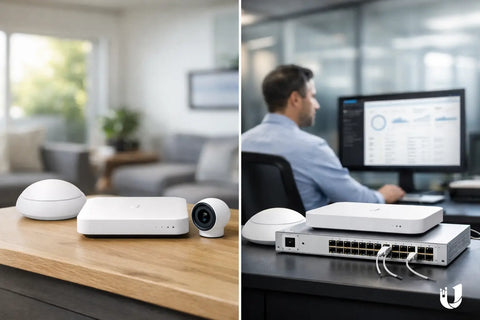
Business-grade gateways, managed switches, and properly placed access points give operators more control. Managed switching can identify a failed port, show whether a connected device is drawing power, and help isolate a problem without taking the full network offline. Centralized WiFi management makes it easier to review signal quality, client load, and interference before complaints become a service disruption.
Coverage should be planned around real work areas, not just square footage. The host stand, bar, kitchen, office, walk-in-adjacent areas, patio, and curbside pickup zone may each need different wireless consideration. More access points are not always better. Poor placement or overlapping signals can create new problems, so site-specific design is essential.
Add Internet Failover Before You Need It
Even a well-built local network cannot control a provider outage. For restaurants that depend on cloud POS platforms, online ordering, and digital payment processing, a backup internet connection is often the most practical protection against an extended interruption.
A failover setup uses a secondary connection when the primary circuit stops responding. Depending on the location, that backup may be 5G or LTE cellular service, a second wired provider, or satellite internet. The right choice depends on local availability, required bandwidth, building conditions, and the systems that must remain online.
Cellular backup is often a good fit for short provider outages because it can activate quickly and does not rely on the same cable path as the main connection. However, its performance may vary by carrier coverage and network congestion. A second wired circuit can provide more consistent capacity, but it costs more and may not be truly independent if both providers use the same local infrastructure. Satellite can be valuable in locations with limited wired options, though latency, placement, weather exposure, and installation requirements should be evaluated carefully.
The key is automatic failover. A backup connection that requires a manager to unplug cables and call support is less useful when the dining room is full.
Protect Power and Physical Infrastructure
Many apparent network failures are power failures in disguise. A brief electrical event can reboot a gateway, switch, modem, or access point while employees assume the internet has gone down. Network equipment that supports POS, payment, cameras, and WiFi should be connected to properly sized battery backup units with surge protection.
Battery backup does not need to run a restaurant for hours. Its purpose is to ride through short interruptions, support a controlled shutdown during longer ones, and keep essential gear online long enough for failover services to operate. The right runtime depends on the equipment load and the priorities of the business.
Cabling deserves the same attention. Loose patch cables behind a POS station, unprotected exterior runs, and unlabeled wiring create expensive troubleshooting delays. Cleanly terminated, labeled, and tested low-voltage cabling helps technicians identify issues quickly and reduces the chance that routine cleaning, renovations, or equipment moves disconnect a critical system.
Monitor the Network Instead of Waiting for Complaints
The fastest outage is the one addressed before it reaches the dining room. Remote monitoring can show whether an internet circuit is unstable, an access point has disconnected, a switch port is failing, or bandwidth use has suddenly spiked.
Alerts should be useful, not noisy. A practical setup notifies the right contact when a core device goes offline, when the primary internet connection fails over, when battery backup conditions need attention, or when a critical system has repeated connectivity issues. It should also provide a clear view of the network so a technician can distinguish an ISP outage from an on-site hardware or WiFi issue.
Monitoring becomes especially valuable for multi-location operators and property managers. Rather than dispatching someone for every report of "the WiFi is down," they can see whether the issue affects one access point, one location, or the entire provider connection. That clarity shortens downtime and avoids unnecessary service calls.
Give Staff a Simple Outage Plan
Technology design and staff response need to work together. Managers should know where core network equipment is located, which equipment should not be unplugged, and who to contact when business systems fail. The plan does not need to turn restaurant staff into IT technicians. It should help them provide the details that lead to a faster fix.
A useful incident checklist captures the time the problem began, systems affected, whether lights are on at the modem and network equipment, and whether the issue is limited to one area or device. Staff should avoid factory-resetting equipment or moving cables unless guided by support. Those actions can erase configuration details and turn a small issue into a longer recovery.
Test the plan during a quiet period. Confirm that backup internet engages, that POS and payment terminals behave as expected, and that key contacts have current support information. An untested failover connection is only a theory.
Plan Network Changes Around Service, Not Convenience
Restaurants constantly change. A new patio opens, ordering tablets are added, cameras expand, a POS vendor changes, or a neighboring tenant introduces wireless interference. Each change can affect capacity and coverage.
Schedule network updates outside peak operating hours and document the existing configuration before making changes. If a new service requires more switch ports, additional power, or a dedicated wireless network, account for that during planning instead of adding temporary equipment that becomes permanent by accident.
For restaurants in the NY tri-state area, San Diego, or the Bay Area, Wall Street Networks can assess existing infrastructure and design a practical path for WiFi, switching, cabling, surveillance, access control, and backup connectivity under one coordinated plan.
Build for the Friday Night Rush
The right network is rarely the one with the most hardware. It is the one built around the systems that keep guests served and revenue moving when the room is busiest. Start with a clear assessment, protect critical traffic, create a realistic backup path, and make sure the people on site know what to do when something changes. That preparation gives a restaurant the confidence to focus on hospitality instead of troubleshooting.