A front door that is locked is not necessarily controlled. Keys get copied, codes get shared, staff members change, and a lost fob can remain active long after it should not. Learning how to choose access control starts with a practical question: who needs to enter which spaces, at what times, and how quickly should those permissions change?
For a homeowner, the answer may be family, guests, household staff, and service providers. For an office, restaurant, warehouse, or retail space, it may include employees, managers, delivery teams, vendors, and cleaning crews. The right system makes access easier to manage without creating unnecessary friction for the people who use it every day.
Start With the Doors That Matter Most
Do not begin by choosing a reader, keypad, or app. Begin with the openings you need to protect. Your main entry may need one level of control, while a server closet, stockroom, garage, elevator, or private office may need another.
Walk the property and identify every door or gate that should be monitored or restricted. Include exterior doors, rear entrances, shared corridors, rooftop access, pool gates, equipment rooms, and delivery entrances. In commercial properties, also consider doors that are normally propped open during busy periods. A system can only enforce policies at the openings where it is installed and properly used.
The door itself affects the design. Glass storefront doors, aluminum frames, wood doors, metal doors, gates, and double doors all require different locking hardware and installation methods. Fire-rated openings, emergency exits, and doors with panic hardware also have code and life-safety requirements. A professional site review prevents a common mistake: selecting attractive technology that does not work with the existing door hardware.
How to Choose Access Control by User Type
The best credential is the one your users will consistently carry and your administrator can manage easily. There is no single right answer for every property.
Key cards and fobs are familiar, dependable, and fast at the door. They work well for offices, warehouses, multifamily properties, and staff-only areas. Their drawback is physical management. Someone must issue, recover, replace, and deactivate them.
Mobile credentials allow users to unlock approved doors with a smartphone. They are especially useful for residents, managers, and teams that already rely on mobile tools. Permissions can often be issued remotely, which is valuable when a new employee starts, a contractor needs temporary entry, or a homeowner wants to grant access while away. Mobile access depends on users having charged phones and being comfortable with the process, so many properties benefit from keeping a fob or keypad option as a backup.
PIN codes can be practical for smaller teams, short-term guests, and service access. Individual codes are far more secure than a single shared code. If everyone uses the same PIN, there is no meaningful audit trail and no easy way to remove access for one person without changing the code for everyone.
Biometric access can provide added assurance in certain commercial environments, but it deserves careful consideration. It may be appropriate where identity verification is particularly sensitive, yet privacy expectations, local requirements, user acceptance, and backup procedures all need to be addressed before deployment.
For most properties, a layered credential plan works best. Employees might use fobs or phones, managers may have mobile credentials with broader permissions, and trusted vendors can receive a time-limited PIN.
Define Permissions Before Buying Hardware
Access control is most valuable when it reflects how the property actually operates. A small office might need simple schedules: employees can enter Monday through Friday during business hours, while managers have 24/7 access. A restaurant may need separate rules for front-of-house staff, kitchen staff, managers, and delivery personnel. A residence may require different permissions for family members, housekeepers, dog walkers, and contractors.
Think through these situations before choosing a platform:
- A staff member leaves unexpectedly and needs immediate removal from every door.
- A delivery arrives before opening hours and needs access only to a designated entrance.
- A contractor needs entry for two days, not permanent access.
- A manager needs to see whether a rear door was forced open or left ajar.
- A homeowner wants to verify that a service provider arrived and departed as scheduled.
Decide What Should Integrate With the System
A door system becomes more useful when it works alongside the rest of the property's technology. Video surveillance is often the most valuable integration. When an access event occurs, a property manager or homeowner can review the corresponding video rather than relying on a name in a log.
For commercial clients, access control may also connect with intercoms, alarms, reception workflows, and network management. A visitor can call from the entry, receive remote approval, and enter through a defined door. For larger or multi-site operations, centralized management allows authorized administrators to oversee several locations without traveling to each one for routine changes.
Residential projects may benefit from integration with smart home platforms, gates, driveway cameras, and entry stations. Convenience should not reduce security. The system should use appropriately protected accounts, strong administrator credentials, and a network designed to support connected devices reliably.
Compatibility matters here. Some systems are built around a single ecosystem, while others integrate more broadly. A unified platform can simplify management and support. An open approach can be useful when you already own equipment that must remain in place. The right choice depends on your existing infrastructure, future plans, and the level of support you want from one provider.
Plan for Reliability, Not Just Features
An access system must work when the network is busy, the power goes out, or the internet connection is unavailable. Ask how doors behave during a power failure and whether they should fail safe or fail secure. This is not merely a convenience decision. It must align with building codes, emergency egress requirements, and the purpose of each opening.
Backup power can keep controllers, locks, network equipment, and critical doors operating during short outages. Local control can also be important. Cloud management is convenient, but a properly designed system should not leave you unable to enter your own property because an internet service issue occurred.
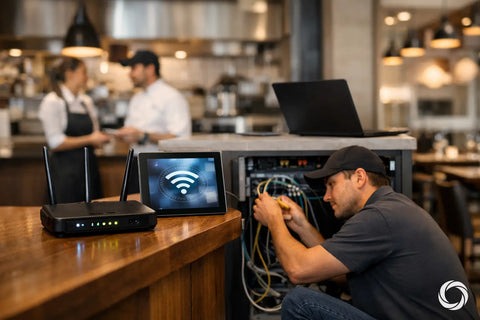
The network deserves equal attention. Connected readers, controllers, cameras, and intercoms need stable switching, appropriate power delivery, secure segmentation, and clean cabling. A weak network can make a quality access control platform appear unreliable. For a commercial installation, it is often smarter to assess WiFi, switching, wiring, and door access together instead of treating each as an isolated project.
Compare the Cost of Ownership
Hardware cost is only one part of the decision. Budget for electric locks, door hardware modifications, power supplies, wiring, network equipment, credentials, installation, configuration, and ongoing administration. Some platforms also have licensing or subscription costs for cloud features, mobile credentials, video retention, or advanced management.
A lower initial price can become expensive if the system is difficult to expand, requires frequent service calls, or cannot support new doors later. Conversely, an enterprise-grade platform may be unnecessary for a single residence or a small storefront with two controlled doors.
Ask whether the system can grow with the property. If you may add a gate, stockroom, second office, or additional location next year, choosing scalable controllers and a sensible network design now can reduce disruption later.
Make Installation and Administration Part of the Decision
Access control is not a box that gets mounted beside a door. It combines low-voltage wiring, electrified locking hardware, controllers, network configuration, life-safety considerations, and user setup. Clean installation protects both the appearance of the property and the serviceability of the system.
Before work begins, confirm who will administer access after installation. That person should know how to add and remove users, create temporary credentials, review events, and contact support. They should also receive clear documentation for doors, credentials, administrator accounts, and backup procedures.
For homes and businesses across the NY tri-state area, San Diego, and the Bay Area, Wall Street Networks can assess the door, network, security, and daily-use requirements as one connected system. That approach helps avoid mismatched equipment and gives property owners one accountable team from design through deployment.
The right access control system should make a normal day feel simpler: the right people enter without delay, restricted spaces stay restricted, and changes take minutes instead of a locksmith visit. Start with your doors and your people, then select technology that supports the way your property really runs.