A dropped video call in a conference room, cameras that lag when someone rings the doorbell, or WiFi that fades at the far end of a home rarely starts with the access points. In many cases, the issue begins at the network edge. This UniFi gateway review looks at what Ubiquiti gateways do well, where their limits are, and how to choose the right foundation for a connected home or business.
What a UniFi Gateway Actually Does
A UniFi gateway is the router and security control point for a UniFi network. It directs traffic between your internet service and your local devices, applies firewall rules, manages VPN access, and can inspect network activity for threats. Depending on the model, it may also run the UniFi Network application, provide storage for camera recordings, or include a built-in switch.
That central role is why gateway selection matters. A fast internet plan alone does not guarantee a fast or reliable experience. The gateway must keep up with the number of connected devices, the level of security inspection enabled, the available WAN speed, and the demands created by cameras, smart-home devices, streaming systems, point-of-sale equipment, and remote users.
For smaller projects, a compact cloud gateway can be an efficient all-in-one starting point. For a larger residence, retail location, office, or warehouse, a rack-mounted gateway paired with dedicated switching and WiFi is usually the better long-term design.
UniFi Gateway Review: The Strengths
UniFi's biggest advantage is that it treats the network as one managed system. From a single interface, an installer or designated administrator can view gateway health, connected clients, access points, switches, internet performance, and security events. That is a major improvement over a collection of separate consumer routers, unmanaged switches, and camera systems.
Clear visibility without enterprise-level complexity
The UniFi interface makes useful information accessible: which device is consuming bandwidth, whether an access point has lost connection, which port is negotiating at the wrong speed, and whether an internet outage is local or provider-related. For homeowners, that means less guesswork when a smart TV or work laptop has trouble connecting. For business operators, it provides a clearer view of devices that affect daily operations.
This visibility is especially valuable in properties with multiple networks. A properly configured UniFi gateway can separate staff devices, guest WiFi, security cameras, building systems, and personal smart-home equipment. Segmentation helps contain problems and reduces the chance that an insecure device can reach sensitive computers or payment systems.
Strong security and remote-access options
UniFi gateways include stateful firewall controls, traffic rules, intrusion detection and prevention features, content filtering options, and VPN tools. A business can provide secure remote access for authorized staff without exposing internal systems directly to the public internet. A homeowner can isolate IoT devices from work computers while preserving the convenience of app-controlled lighting, televisions, and security equipment.
There is a performance trade-off. Deep packet inspection and intrusion prevention consume processing power. On an entry-level gateway, turning on every inspection feature may reduce maximum internet throughput. The right approach is not simply enabling every available setting. It is matching the security policy to the gateway's capacity and the risk profile of the property.
A system that can grow
UniFi is modular. A network can begin with a gateway, one switch, and a few access points, then expand with more PoE switching, additional WiFi coverage, cellular backup, door access, or surveillance. That flexibility is useful when a renovation is being completed in phases or when a business is opening additional areas.
It also supports cleaner infrastructure planning. Rather than placing consumer mesh units wherever signal becomes weak, a professionally designed UniFi system uses wired access points, appropriate switch capacity, and purposeful equipment locations. The result is more consistent coverage and a network that is easier to service later.
Where UniFi Gateways Require More Planning
UniFi is approachable, but it is not magic. The platform rewards good design and exposes shortcuts.
First, WiFi problems are often wiring, placement, or radio-planning problems rather than gateway problems. A high-performance gateway cannot compensate for access points hidden in cabinets, poor cable runs, overloaded wireless channels, or a weak ISP handoff. Before replacing equipment, evaluate the complete path from the provider modem or optical terminal to the switch, access points, and end devices.
Second, not every gateway includes the same controller, storage, port speed, or PoE capability. Some models are designed as compact controllers and routers. Others are better suited to rack installations with multi-gig internet, redundant power considerations, multiple VLANs, and a substantial number of wired devices. Camera storage is another separate planning question. If UniFi Protect surveillance is part of the project, confirm whether the selected hardware has the required drive bay or whether a dedicated network video recorder makes more sense.
Finally, the interface offers enough options to create avoidable issues when settings are changed without a plan. VLANs, firewall rules, DHCP scopes, port profiles, and VPN policies should be documented. A network that works well on installation day should also be understandable when service is needed two years later.
Choosing the Right UniFi Gateway Model
The best model depends less on square footage than on traffic, device count, internet speed, and future plans.
Compact gateways for focused residential and small-office use
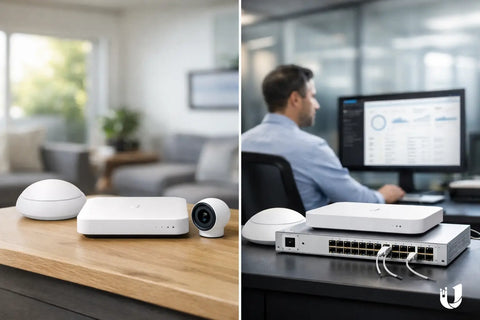
A compact UniFi cloud gateway is often a good fit for an apartment, smaller home, studio, or office with moderate internet service and a manageable number of devices. These units can provide centralized management in a small footprint and work well when paired with a PoE switch and properly placed access points.
They are not always the right choice for a property with multi-gig service, extensive camera coverage, a large number of wired endpoints, or aggressive security inspection requirements. Buying too small can create a bottleneck that is difficult to explain after the rest of the network has been installed.
Midrange and rack-mounted gateways for larger systems
For larger homes and commercial sites, rack-mounted options such as the Dream Machine Pro or Dream Machine Special Edition are often practical because they provide greater processing headroom, more physical connectivity, and better integration into a structured wiring enclosure or equipment rack. They are commonly used where multiple access points, managed switches, surveillance cameras, and isolated networks are all part of the design.
The Special Edition can be particularly convenient when a small number of PoE devices need to be powered directly from the gateway. Still, it should not replace a properly sized PoE switch when a project includes many access points, cameras, intercoms, or access-control devices. Dedicated switching improves port capacity and leaves room for expansion.
Multi-gig and high-demand environments
A home with symmetrical multi-gig fiber, a creative office moving large files, or a business with substantial VPN and inspection needs should be designed around multi-gig WAN and LAN requirements from the start. The gateway, switch uplinks, cable category, access point ports, and client devices all matter. A single 2.5GbE or 10GbE component does not make the entire network faster if the rest of the path remains limited to 1GbE.
This is where a site survey and equipment schedule save money. It is better to identify genuine bandwidth needs than to overspend on high-speed hardware that daily use will never approach.
Design Details That Matter More Than the Spec Sheet
A gateway review should not stop at processor speed or port count. Reliability comes from the system around it.
Use wired backhaul for access points whenever possible. Install a UPS for the gateway, modem, switch, and critical access points so brief outages do not take down the entire network. Keep cameras and security devices on their own network segment. For businesses, separate guest traffic from staff operations and any point-of-sale environment. If internet uptime is essential, consider a secondary WAN connection or cellular failover.
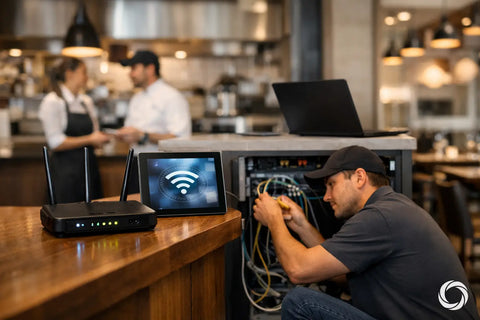
Physical installation also matters. A neatly labeled rack or structured wiring panel reduces service time, prevents accidental disconnects, and makes future upgrades much easier. This is particularly valuable in restaurants, retail locations, and larger residences, where technology often expands after the original installation.
Is a UniFi Gateway Worth It?
For users who need only basic WiFi in a small space, a simple consumer router may be enough. UniFi becomes worthwhile when reliability, visibility, segmentation, professional WiFi coverage, cameras, remote access, or future expansion are priorities.
The platform is an especially strong fit for homeowners building a connected property and for businesses that want a single network standard across WiFi, switching, surveillance, and access-related infrastructure. It provides meaningful control without requiring a full-time IT department, provided the system is designed and maintained correctly.
A UniFi gateway is best viewed as the control center, not a stand-alone fix. When it is paired with the right cabling, switch capacity, access-point placement, and security plan, it gives a property a network that supports the way people actually live and work. For projects in the NY tri-state area, San Diego, or the Bay Area, Wall Street Networks can help turn those requirements into a clean, scalable installation that is ready for what comes next.