A fast internet plan and strong WiFi do not automatically create a secure network. Every camera, smart TV, access point, computer, payment terminal, and connected appliance creates another path that needs to be managed. Network firewall appliances sit at the edge of that environment, inspecting traffic before it reaches the devices and systems people rely on every day.
For a homeowner, that may mean keeping smart-home devices separate from work laptops and personal data. For a restaurant, office, retail store, or warehouse, it can mean protecting point-of-sale systems, surveillance cameras, guest WiFi, and operational devices without disrupting the workday. The right firewall is not just about blocking threats. It is about building a network that performs predictably and is easier to manage as needs change.
What a Firewall Appliance Does
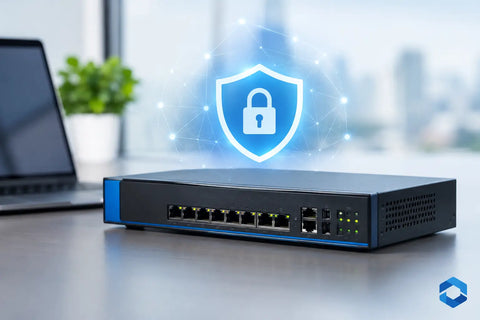
A firewall appliance is dedicated hardware that controls traffic moving between the internet and a local network. It applies rules to decide what is allowed, blocked, prioritized, or isolated. Those rules can be simple, such as preventing unknown devices from reaching internal systems, or more detailed, such as allowing remote employees to access a specific business application while keeping the rest of the network unavailable.
Modern firewalls often do more than basic traffic filtering. Depending on the platform and subscription level, they may provide intrusion prevention, malware filtering, encrypted remote access, content controls, application visibility, and traffic reporting. These capabilities give owners and operators a clearer picture of what is happening on their network rather than treating connectivity as a black box.
A consumer router may include a basic firewall, and that can be adequate for a small, simple home setup. The difference with a dedicated appliance is control. It is designed to support multiple network segments, more devices, higher traffic volumes, detailed policies, and centralized monitoring. That matters when a network supports security cameras, access control, streaming, remote work, cloud applications, or business-critical transactions.
Why Network Firewall Appliances Matter
The most common network issues are not always caused by an outside attack. A poorly designed network can let a problem spread internally. If a guest connects an infected device to WiFi, or an internet-connected camera has a security weakness, a flat network can expose far more than it should.
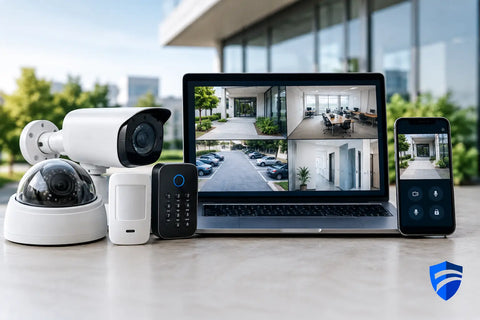
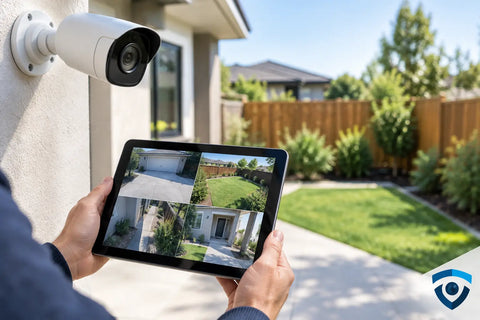
Segmentation limits that exposure. A properly configured firewall can separate trusted computers from guest devices, isolate cameras and door access systems, and keep smart-home equipment on its own network. Each segment receives only the access it needs. A camera system may be able to reach its recording platform, for example, without being able to browse files stored on office computers.
That same structure improves reliability. When every device competes on one network, troubleshooting becomes slower and performance is harder to predict. Separating traffic allows an installer to prioritize video conferencing, payment processing, voice services, or automation controls while preventing guest streaming and downloads from consuming all available bandwidth.
For businesses, this approach also supports accountability. Network logs can help identify unusual traffic, failed login attempts, bandwidth-heavy applications, or devices that should not be connected. For property managers and homeowners, visibility provides reassurance that the systems protecting a building are operating as intended.
Choosing the Right Firewall for the Environment
There is no single best firewall for every property. The right choice depends on internet speed, the number of connected devices, the type of traffic, the need for remote access, and how much ongoing management is required.
A high-end residence with multiple access points, smart lighting, whole-home audio, surveillance, and remote work needs more than a basic router. It may benefit from a gateway that supports VLANs, traffic visibility, secure remote access, and enough processing power to maintain performance while security features are active. A large home can have dozens or even hundreds of connected endpoints, especially when automation and cameras are included.
A commercial environment has additional considerations. A restaurant may need separate networks for payment terminals, staff devices, kitchen systems, guest WiFi, and cameras. A warehouse may need stable wireless coverage for scanners, inventory platforms, loading areas, and surveillance. An office may prioritize encrypted remote access, video meetings, file-sharing performance, and device policy management.
Hardware sizing matters. Firewall performance figures can look impressive until features such as deep packet inspection, intrusion prevention, VPN access, or content filtering are enabled. Those services require processing power. Selecting an appliance based only on raw internet speed can leave the network underpowered when its security tools are actually needed.
Management Is Part of the Decision
The appliance itself is only one part of the solution. A firewall needs careful configuration, firmware updates, backups, and periodic review. Default settings are not a complete security strategy, particularly when remote access, cameras, access control, or multiple locations are involved.
Cloud-managed platforms can simplify oversight by placing gateways, switches, and WiFi access points in a single dashboard. This is often a practical fit for clients who want clear visibility and an organized system without maintaining separate tools for every network component. Local management can be appropriate as well, especially where specific compliance, privacy, or operational requirements apply.
The best approach depends on who will support the network after installation. A business with internal IT staff may want deeper hands-on control. A homeowner or small business operator may prefer a professionally managed system with clear documentation and a single point of contact for service.
Common Firewall Mistakes to Avoid
Buying a capable firewall does not fix a network that has been designed without a plan. One common mistake is installing a gateway but leaving every device on the same network. Another is exposing cameras, recorders, or management interfaces directly to the internet for convenience. Remote access should be deliberate, encrypted, and restricted to authorized users.
It is also easy to overlook the physical infrastructure. A firewall cannot compensate for poor cabling, overloaded switches, weak WiFi coverage, or equipment placed in an unventilated closet. The network works as a system: internet service, gateway, switching, wireless, wiring, power protection, and endpoint configuration all affect the result.
For commercial properties, skipping documentation creates problems later. Network names, VLAN assignments, IP ranges, equipment locations, credentials, and service contacts should be organized from the start. When a new camera is added, a tenant changes, or a provider needs to troubleshoot an outage, clear documentation saves time and reduces risk.
A Better Way to Plan Protection
Start with how the property operates rather than with a specific firewall model. Identify the devices that handle sensitive information, the systems that must stay online, and the people who need access. Then determine which devices should communicate with each other and which should remain isolated.
For example, a retail location may need payment systems protected from guest WiFi, while a home office may need work devices separated from entertainment and smart-home equipment. The same firewall principles apply, but the design should reflect the property’s real use.
Wall Street Networks designs and deploys network infrastructure as a complete system, from low-voltage wiring and switching to WiFi, surveillance, access control, and gateway configuration. For projects in the NY tri-state area, San Diego, or the Bay Area, professional planning can prevent the expensive rework that often follows a piecemeal installation.
A firewall should make technology feel less complicated, not more restrictive. When it is sized correctly, configured around the way a property is used, and supported by clean infrastructure, it quietly protects the systems that keep a home or business connected. Schedule a consultation before the next upgrade, expansion, or move, and build security into the network from the beginning.