A weak connection at the back patio, a video call that drops when someone walks upstairs, or a point-of-sale system that slows down at lunch are not problems a faster internet plan will always fix. The real question is often mesh WiFi versus access points: which wireless design fits the building, the number of users, and the work happening on the network?
Both can extend coverage far beyond a single router. The difference is how they communicate, how much performance they retain at distance, and how much control they give you as the system grows. For a small apartment, the answer may be simple. For a multi-story home, restaurant, office, retail store, or warehouse, it deserves a closer look.
Mesh WiFi Versus Access Points: The Core Difference
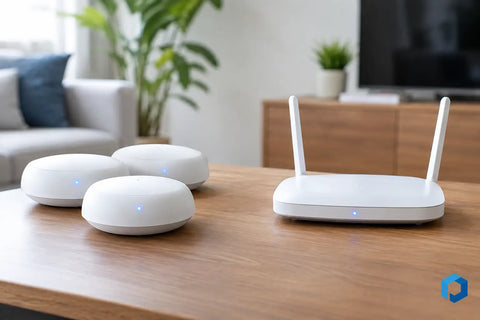
A mesh WiFi system uses multiple wireless units, often called nodes, that work together under one network name. One node connects to the internet gateway, while the others extend the signal into rooms or areas that need better coverage. When nodes communicate with each other wirelessly, that connection is called wireless backhaul.
Access points are wired network devices that create WiFi coverage from a central network. Each access point is connected back to a switch or gateway with Ethernet cabling, often powered through that same cable using Power over Ethernet. Users move between access points while staying on the same wireless network.
The practical distinction is straightforward: mesh is often easier to add where cabling is unavailable, while wired access points generally provide greater speed, capacity, consistency, and long-term flexibility. That does not make mesh the wrong choice. It means the building and the expected workload should drive the decision.
When Mesh WiFi Is the Right Fit
Mesh can be a practical solution when running Ethernet is difficult, disruptive, or outside the project budget. It works well in smaller homes, rental properties, detached spaces, and layouts where a single router cannot reach every room.
A quality mesh system can provide a noticeable improvement over a basic router and an old-style range extender. Nodes are designed to coordinate coverage, and many systems support roaming so phones, tablets, and laptops can transition between nodes with minimal interruption. For households using video streaming, smart-home devices, web browsing, and occasional remote work, mesh may deliver the coverage they need without opening walls or adding new cable runs.
The trade-off is that wireless backhaul uses radio capacity. A node that must receive data wirelessly and then send it onward has less available airtime for client devices, especially in busy environments. Tri-band mesh systems help by dedicating one radio band to backhaul, but distance, walls, neighboring networks, and device count still affect results.
Mesh is strongest when nodes have a clear or relatively clean path to one another. Placing a node in the dead zone itself is a common mistake. If that node is already receiving a weak signal, it has little performance to repeat. It needs a solid connection to the previous node before it can reliably serve the next room.
Why Wired Access Points Perform Better at Scale
Access points are the preferred design for properties where WiFi supports more than casual browsing. A wired connection gives each access point a direct path back to the network, so it does not need to share wireless capacity with another node just to reach the internet.
That difference matters in high-demand spaces. In a home, it can mean stable video conferencing, faster large-file transfers, better streaming in multiple rooms, and more dependable performance for cameras, smart TVs, gaming systems, and automation devices. In a business, it can support point-of-sale terminals, employee laptops, guest networks, inventory scanners, cloud applications, and connected security equipment without one wireless hop becoming a bottleneck.
Access points also give a network more room to grow. A properly designed system can use separate network segments for staff, guests, surveillance, building controls, and personal devices. That separation improves organization and helps reduce the risk that a guest device can reach business systems or security hardware.
Placement is another advantage. An access point can be mounted centrally on a ceiling or wall, where its signal can serve the intended area effectively. A mesh node often needs to sit near a power outlet and within range of another node, which may force compromises in location.
The Cabling Question Changes the Answer
The best WiFi hardware cannot fully compensate for poor infrastructure. Before choosing either approach, consider whether the property has Ethernet cabling, conduit, accessible attic or basement paths, or an opportunity to add low-voltage wiring during construction or renovation.
For a new build or major remodel, running cable to planned access point locations is usually a smart investment. It creates a reliable backbone not only for WiFi but also for security cameras, access control, audio-video equipment, televisions, and future devices. The cable remains useful even when wireless standards change.
In an existing home or business, installing cable may still be less invasive than expected. A site review can identify routes through ceilings, utility areas, closets, crawlspaces, or exterior pathways. When cable truly is not feasible, mesh can fill the gap. A hybrid design can be even better: wired access points in the main areas and a carefully placed mesh node or wireless bridge for a difficult outbuilding or secondary space.
Coverage Is Not the Same as Capacity
Seeing a WiFi signal on a phone does not mean the connection will perform well. Coverage describes whether a device can detect and join the network. Capacity describes whether the network can handle the number of devices and the type of activity taking place at the same time.
A large home with only a few people may work well with mesh. A smaller restaurant can need a more capable access point design if it has staff tablets, payment systems, music streaming, guest WiFi, cameras, and dozens of customer phones competing for airtime. Likewise, a warehouse may need targeted access point placement around racks, loading areas, offices, and exterior work zones, since metal shelving and industrial materials can disrupt wireless signals.
Walls matter, too. Plaster, concrete, brick, stone, radiant heating, mirrors, appliances, and dense cabinetry can weaken or reflect WiFi. A professional design accounts for construction materials and real device locations, not just square footage.
Management, Security, and the User Experience
Mesh systems are often marketed for simple app-based setup. That convenience is useful for straightforward networks, but it may not provide the oversight a larger property needs. As network demands increase, centralized management becomes more valuable.
Managed access point platforms can show connected clients, signal quality, channel use, device health, and traffic patterns. They make it easier to create guest access, apply content or bandwidth policies, schedule updates, and troubleshoot a problem without guessing which node is causing it. For businesses, this visibility can reduce downtime. For homeowners, it can make a complex connected home much easier to support.
Security should be part of the same conversation. A strong WiFi password is a start, but a well-designed network can also isolate guest devices, protect work equipment, and keep cameras and smart-home devices on separate segments when appropriate. The right design depends on how the property is used, not on a one-size-fits-all template.
How to Choose for Your Property
Choose mesh when you need better coverage quickly, cabling is impractical, and the network serves a moderate number of devices with typical household or light-business use. Select a system that supports wired backhaul if you may add cable later. That preserves the option to improve performance without replacing every device.
Choose wired access points when reliability is critical, users move throughout a larger property, multiple people work or stream at once, or the network supports operational systems such as point-of-sale, surveillance, access control, and cloud-based tools. It is also the stronger choice for homes with dedicated offices, home theaters, extensive smart-home technology, or outdoor entertainment areas.
The right answer may be neither extreme. Many successful installations use wired access points as the foundation, then apply a wireless solution only where it solves a specific coverage challenge.
A network assessment should begin with how people use the space, where the internet enters the building, what materials surround the coverage areas, and what devices need to stay online. Wall Street Networks can design the wired backbone and WiFi layout around those details, so the finished system supports the way your home or business actually operates instead of simply adding more boxes to the network.