A video call freezes in the upstairs office. The point-of-sale system drops during a busy lunch rush. Security cameras take too long to load when someone needs to review an event. These are not minor WiFi annoyances. They are signs that wireless networking is no longer keeping up with how the space is used.
For a modern home or business, WiFi supports far more than phones and laptops. It carries streaming, smart TVs, workstations, tablets, security cameras, door access, voice assistants, point-of-sale devices, building controls, and guest connections. A reliable network has to account for all of it, not simply deliver a good speed test from one room.
What Wireless Networking Is Really Designed to Do
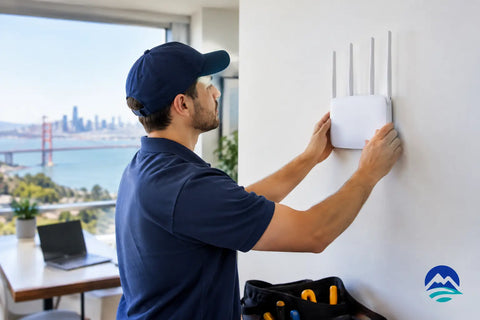
Wireless networking connects devices through radio signals rather than physical network cables. The access point is the component that broadcasts WiFi, while a router or gateway manages traffic between the local network and the internet. Switches provide connections and, in many installations, power to access points and other networked equipment.
That basic explanation leaves out the part that matters most: a wireless network is a designed system. Its performance depends on access point placement, building materials, internet service, cabling, device volume, security settings, and how people move through the property. A single router placed near the internet connection may be adequate for a small apartment. It is rarely the right answer for a larger home, a restaurant with outdoor seating, a warehouse, or a multi-room office.
The goal is not to fill every corner with the strongest possible signal. The goal is predictable coverage and capacity where people and devices actually need it. That might mean strong service in bedrooms, patios, conference rooms, stock areas, checkout counters, or a home theater. It may also mean separating business-critical devices from guest traffic so one does not interfere with the other.
Why WiFi Problems Usually Start With Design
Many network complaints are blamed on the internet provider. Sometimes that is accurate. If the incoming service is slow or unstable, no WiFi upgrade can create bandwidth that is not there. But when service tests well at the gateway and poorly elsewhere in the building, the issue is often internal network design.
Walls, floors, metal framing, stone, tile, mirrors, and appliances can weaken wireless signals. Older buildings in New York City and the Hudson Valley may have dense plaster, masonry, or unusual layouts that make a one-device solution impractical. Larger properties in California can create a different challenge: long floor plans, detached spaces, outdoor entertaining areas, and multiple levels that need consistent coverage.
Device density is another overlooked factor. A home might have dozens of connected devices even before guests arrive. A retail store or restaurant can have staff devices, payment terminals, music systems, cameras, tablets, printers, and customer WiFi operating at the same time. Network equipment must be selected for the number and type of connections it will manage, not just the square footage on a product box.
Coverage and Capacity Are Different Problems
A device can show a strong WiFi signal and still perform poorly. That often happens when too many devices are sharing the same access point or radio channel. Coverage refers to whether the signal reaches an area. Capacity refers to whether the network can serve the active devices in that area without creating delays, buffering, or dropped connections.
A conference room, for example, may need more capacity than a hallway of the same size. A living room with several streaming devices, gaming systems, and smart home equipment may need more planning than a rarely used guest room. Proper design considers both conditions from the beginning.
The Case for Wired Backhaul in a Wireless Network
The strongest wireless networks still rely on wiring. When access points are connected back to the network with Ethernet cabling, they have a direct, stable path for moving data. This is called a wired backhaul, and it gives each access point more available capacity than a wireless extender or a mesh node that must relay traffic over WiFi.
Mesh systems have a place. They can be useful where running cable is not feasible, in a temporary setup, or for modest coverage improvements. The trade-off is that wireless hops consume airtime and can reduce performance, particularly when multiple devices are active. For a high-use home or a business that depends on connectivity, professionally installed Ethernet cabling and properly placed wired access points are usually the more reliable long-term approach.
Power over Ethernet, often called PoE, makes this cleaner. One network cable can provide both data and power to an access point, camera, intercom, or other compatible device. That reduces the need for nearby outlets and allows equipment to be mounted in the locations that support performance rather than wherever an outlet happens to be available.
Building a Network Around How You Use the Space
A successful installation starts with questions, not a box of equipment. Where does work happen? Which rooms need dependable video streaming? Are there cameras, access control readers, smart TVs, distributed audio, or automation hubs? Does the business need isolated guest WiFi? Are outdoor spaces part of the daily experience?
For homes, the network should support daily life without making the homeowner think about it. That can include reliable coverage across bedrooms and living areas, a dedicated connection strategy for a home office, and stable service for security and smart home systems. A professionally designed network also creates a stronger foundation for future additions, whether that is a new theater, outdoor AV, expanded surveillance, or additional automation.
For commercial properties, segmentation is especially valuable. Employee computers, payment systems, surveillance equipment, building controls, and guest WiFi should not all operate as one unrestricted network. Separate network segments limit unnecessary exposure and help protect critical systems. They also make troubleshooting easier when a guest device or nonessential system has an issue.
This is not about adding complexity for its own sake. It is about giving each system the access it needs while preventing unrelated devices from competing for resources or creating avoidable security risks.
Security Is Part of Wireless Networking
A WiFi password is only one layer of network security. A well-configured system also uses current encryption, secure administrative credentials, regular firmware updates, and thoughtful access rules. Businesses may need more advanced controls, including separate staff and guest networks, device-specific permissions, content controls, or remote management visibility.
Physical infrastructure matters here too. Network racks, gateways, switches, battery backup, and properly labeled cabling make maintenance safer and more efficient. When a power event occurs or a device needs service, an organized installation saves time and prevents guesswork.
Remote visibility can be useful, but it should be configured responsibly. The ability to identify an offline access point, review device activity, or address a configuration issue without an unnecessary site visit can reduce downtime. At the same time, remote access should be protected with strong credentials and limited to authorized users.
When It Is Time to Upgrade Your WiFi
There is no fixed replacement date for every network. Equipment age matters, but usage changes matter just as much. A system that worked well when installed may struggle after more smart devices, cameras, employees, tenants, or streaming services are added.
Common signs include recurring dead zones, unreliable video calls, slow performance during busy periods, devices that fail to reconnect as people move around the property, or a network that becomes difficult to manage. If the only solution has been adding repeaters one at a time, it is usually worth stepping back and evaluating the full design.
A site assessment can identify whether the answer is better access point placement, additional wiring, upgraded switching, a new gateway, improved internet service, or a combination of changes. The right solution depends on the property and its demands. More equipment is not always better equipment.
Wall Street Networks designs and installs wireless systems as part of a complete technology plan, from structured cabling and WiFi to security, access control, automation, and AV. That integrated approach helps avoid the common problem of disconnected systems installed by multiple vendors with no clear owner.
The best network is the one people stop noticing. It lets a household work, stream, protect the property, and entertain without interruption. It lets a business serve customers and operate with confidence. Start with how the space needs to perform, then build the wireless foundation to support it.