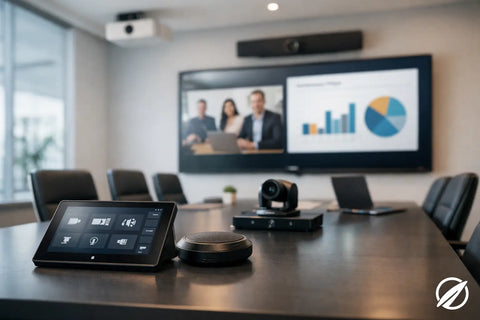
A conference room can have a premium display and still fail the people using it. The usual problem is not the screen. It is a camera positioned too low, voices lost in a reflective room, a laptop connection that does not work on the first try, or a wireless network that cannot support the call. To plan conference room AV successfully, start with how meetings actually happen in your space, then design the technology and infrastructure around that reality.
Start With the Room and the Meeting Style
The right AV system depends on the room’s purpose. A four-person huddle room does not need the same equipment as a 16-seat boardroom, and a training room may need different capabilities than either. Buying a standard package for every room can create unnecessary cost in small spaces and disappointing performance in large ones.
Begin with a practical conversation: How many people will use the room on a typical day? How often are remote participants involved? Will users present from personal laptops, a dedicated room computer, or both? Does the room need to support Teams, Zoom, Google Meet, or several platforms? These answers determine the camera field of view, microphone coverage, display size, control method, and network requirements.
Room geometry matters just as much. A long, narrow conference room needs a camera that can frame participants at the far end of the table. A glass-heavy room may look impressive but can create echo and glare. Windows behind participants can turn faces into silhouettes on video calls unless lighting and camera placement are planned carefully.
Plan Conference Room AV From the Infrastructure Up
Reliable meetings are built on infrastructure that visitors rarely see. Before selecting displays, cameras, and speakers, evaluate power locations, pathways for low-voltage cabling, existing network capacity, WiFi coverage, and equipment storage.
A clean installation typically includes structured cabling from the conference room to the network or equipment location. Hardwired connections are especially valuable for room computers, video bars, conferencing cameras, control panels, and wireless presentation devices. WiFi is useful for personal devices, but critical room technology should not rely on a crowded wireless connection when a wired option is available.
Network design deserves early attention. Video conferencing places sustained demands on bandwidth and stability, particularly when several rooms are active at once. Proper switching, segmentation, and WiFi design help keep business traffic, guest access, security devices, and AV equipment from competing unnecessarily. For offices with a modern managed network, AV can be monitored and supported more effectively over time.
Do not overlook electrical planning. A display wall may require dedicated power behind the screen, while a conference table may need accessible charging and laptop connectivity. Hiding power supplies, adapters, and cables inside a finished room is much easier when these details are addressed before furniture, millwork, and wall finishes are complete.
Choose the Display for Viewing Distance, Not Just Size
A larger display is not automatically better. The goal is for every participant to comfortably read shared content, including spreadsheets, presentation text, and video windows. Viewing distance, room width, table placement, and ambient light all affect the decision.
For many small conference rooms, a commercial-grade 55- to 65-inch display is sufficient. Medium rooms often benefit from a 75- or 86-inch screen, while larger boardrooms may require dual displays or a projector system designed for the space. Dual displays are useful when teams frequently need to see remote participants and shared content at the same time. They may not be necessary for a room used mainly for short internal meetings.
Commercial displays are generally a better fit than consumer televisions in a business setting. They are designed for longer operating hours, professional mounting, remote management, and consistent performance. The right mount and installation height also matter. A screen mounted too high forces people to look up throughout the meeting and makes video participants appear disconnected from the table.
Make Audio the Priority
People will tolerate a slightly imperfect camera image. They will not tolerate meetings where they cannot hear or be heard. Audio quality is often the deciding factor between a room that gets used and a room that employees avoid.
For compact rooms, an all-in-one video bar with built-in microphones and speakers may provide excellent results. In larger rooms, that same device may not capture people seated at the far end of the table. Ceiling microphones, table microphones, external speakers, and digital signal processing may be needed to provide consistent coverage.
Acoustics should be part of the plan, especially in spaces with glass walls, exposed ceilings, polished concrete, or hard flooring. These materials reflect sound and create reverberation that makes speech difficult to understand. Area rugs, acoustic ceiling treatments, wall panels, fabric furniture, and thoughtful speaker placement can improve clarity without changing the room’s design intent.
Privacy is another consideration. In executive offices, legal meeting rooms, and healthcare-related spaces, microphone behavior and room isolation deserve particular care. The goal is not only clear sound inside the call, but also confidence that private conversations are not unintentionally picked up outside the room.
Select Cameras for People, Not Product Specs
Camera resolution is only one piece of the decision. Framing, placement, lighting, and intelligent tracking features determine whether remote attendees can read the room and follow the conversation.
A wide-angle camera works well in a huddle room where everyone sits close together. In a larger room, a pan-tilt-zoom camera can frame the full table or focus on the active speaker. Auto-framing and speaker tracking can be helpful, but they should be tested in the actual space. In some environments, frequent camera movement can feel distracting, especially during fast-paced discussions.
Camera placement should put remote participants at eye level whenever possible. Positioning the camera near the display creates a more natural conversation than placing it off to one side or high in the ceiling. Avoid installing it where pendant lights, bright windows, or glossy surfaces interfere with image quality.
Keep Control Simple Enough for First-Time Users
A conference room should not require an instruction manual taped to the wall. The best experience is predictable: enter the room, connect or start the meeting, share content, adjust volume if needed, and end the call.
That may mean a dedicated Teams Rooms or Zoom Rooms system with a touch controller. It may mean a simple bring-your-own-device setup with USB-C and HDMI connectivity. Wireless presentation can add convenience, but it should be selected with security, guest access, and user behavior in mind. A wired connection remains valuable when a visitor needs certainty or when wireless sharing is unavailable.
Control systems can also manage displays, audio, shades, lighting, and room scheduling. The appropriate level of control depends on the room. A small room may only need a straightforward conferencing controller, while a multipurpose boardroom may benefit from a custom interface that reduces several systems to a few clear choices.
Design for Change, Service, and Growth
Conference room technology changes faster than walls and cabling. Build flexibility into the room so future upgrades do not require reopening finished surfaces. Use accessible equipment locations, labeled cabling, spare conduit where feasible, and mounting solutions that can accommodate a different display or camera later.
It is also wise to separate permanent room infrastructure from devices that may be replaced more often. Network drops, power, speakers, microphones, control wiring, and equipment racks should support the next generation of conferencing hardware, not only the system installed today.
Professional commissioning is where design becomes a dependable room. Every input, meeting platform, microphone zone, camera preset, wireless presentation function, and control sequence should be tested under real conditions. Staff should also receive a concise handoff so they know how to start meetings and what to do if a guest laptop behaves differently.
Wall Street Networks approaches conference room AV as part of the broader technology environment, connecting the room’s AV, networking, cabling, and control systems into one coordinated installation. Whether you are fitting out a new office or correcting an underperforming room, the most useful first step is a site-specific consultation. A room that feels easy to use gives your team more time to make decisions, serve clients, and do the work that brought everyone together.