A network problem rarely starts with the network itself. It starts when a video call drops in the back office, a security camera goes offline, guests cannot connect outside, or smart-home devices compete for bandwidth. Professional network installation services address the foundation behind those frustrations: the cabling, equipment placement, coverage plan, security settings, and capacity to support what your property needs now and later.
For a home, that may mean dependable WiFi on every floor, stable connections for streaming and work, and a network that supports cameras, access control, automation, and outdoor entertainment. For a business, it may mean separating guest traffic from point-of-sale systems, creating reliable coverage across a warehouse, or protecting sensitive operations with properly configured hardware. The right design makes technology easier to use because the complex work happens before the system is turned on.
What Network Installation Services Should Include
A complete installation is more than mounting access points and plugging in a router. It begins with an on-site assessment of the space, construction, internet service, device count, and how people actually use the property. A concrete-walled restaurant, a multi-story home, and a warehouse with metal shelving may all have the same internet plan, but they need very different WiFi strategies.
The planning stage should identify where internet service enters the building, where a network rack or structured wiring panel belongs, and how cable pathways can be run cleanly. It should also account for high-demand areas. In a residence, those can include a home office, media room, outdoor living area, or detached garage. In a commercial property, they may include checkout counters, conference rooms, loading areas, employee workstations, and customer seating.
From there, an integrator designs the system around the property rather than forcing the property to fit a preselected equipment bundle. That design typically includes wired infrastructure, switches, gateways, wireless access points, and a plan for network segmentation. It can also coordinate related systems such as surveillance, door access, AV, and smart-home controls.
Start With the Wiring, Not the WiFi Name
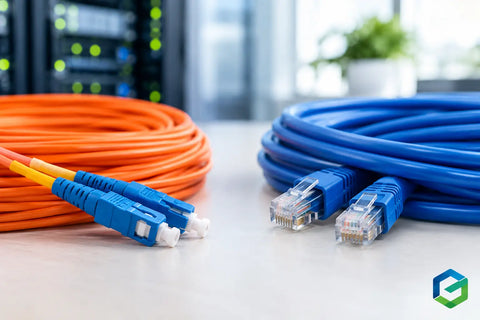
Wireless performance is only as reliable as the wired network behind it. When possible, access points, cameras, desk locations, televisions, and other fixed devices should be connected by properly terminated low-voltage cable. A wired connection reduces wireless congestion and gives critical devices a more consistent path to the network.
Clean cabling also matters after installation day. Labeled runs, organized patch panels, properly sized racks, and accessible power protection make future service far easier. When a device needs to be moved, replaced, or added, the technician should be able to identify its connection without tracing a tangle of unmarked cables.
New construction and renovations provide the best opportunity to install cable behind walls and plan outlets in useful locations. Existing properties still have options. Depending on the structure, cable may be routed through attics, basements, closets, crawl spaces, conduits, or discreet surface pathways. The trade-off is usually between appearance, access, cost, and the amount of construction work a client is willing to take on.
Design WiFi for Real Coverage and Capacity
A strong signal in one room does not prove that a property has good WiFi. Reliable coverage means people can move through the space without dead zones, excessive buffering, or devices clinging to a distant access point. It also means the system can support the number of connected devices present during busy periods.
Access point placement is a design decision, not a guess. Installing one powerful unit in a central closet may look simple, but walls, floors, appliances, masonry, mirrors, and exterior materials can weaken or distort the signal. Multiple wired access points, positioned where people use devices, often produce a better result than one higher-powered unit.
Capacity is just as important. A family may have dozens of phones, tablets, televisions, speakers, cameras, appliances, and automation devices online at once. A restaurant can add guest phones, payment terminals, kitchen equipment, streaming displays, and staff devices. The network must be designed for simultaneous use, not just a speed test run on a single laptop.
Keep Business, Guest, and Smart Devices Separate
Every connected device does not need access to every part of the network. Segmentation divides traffic into separate, controlled networks so that a guest phone cannot reach business files, and an internet-connected smart device is not placed beside a workstation handling sensitive information.
For many businesses, the practical split includes a protected internal network, a guest WiFi network, and a separate network for operational equipment such as cameras, door access, printers, or point-of-sale devices. Homes can benefit from a similar approach, especially when they include security systems, smart-home platforms, work devices, and frequent guests.
This does not have to make daily use complicated. A well-configured system keeps the technical boundaries in the background while giving users the connection they need. The important part is setting those boundaries deliberately rather than treating every device as if it belongs on the same open network.
Choose Equipment That Fits the Project
There is no single best hardware setup for every property. A compact home may need a gateway, a managed switch, and several WiFi access points. A larger residence may need a dedicated rack, battery backup, multi-gigabit switching, outdoor coverage, and connections for cameras and AV equipment. A business may require higher device capacity, redundant internet options, more detailed network controls, or centralized management across locations.
Hardware selection should also consider internet service. Fiber, cable, fixed wireless, and Starlink each have different performance characteristics and handoff requirements. If consistent uptime is essential, a secondary internet connection can be configured as a backup. That adds cost, but for a restaurant processing payments or an office dependent on cloud applications, the cost of downtime can be higher.
Platforms such as UniFi can be a practical fit for many homes and small to mid-sized businesses because they bring gateways, switching, WiFi, and device management into one system. Still, the platform matters less than proper design, installation, configuration, and support. Buying capable equipment without planning the system around it often leads to expensive underperformance.
Integrate Security and AV Without Creating Confusion
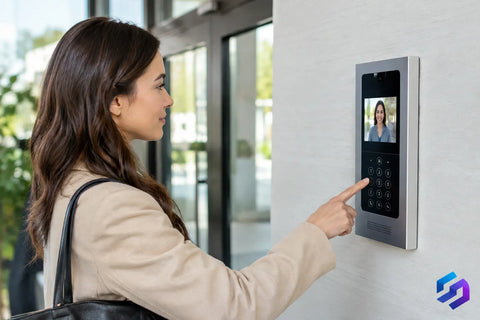
Network infrastructure is often the shared backbone for systems that appear unrelated. IP cameras need reliable power and network connections. Door access systems may need secure remote management. Video conferencing, distributed audio, televisions, and streaming equipment all depend on stable connectivity.
Planning these systems together prevents common problems later. For example, a camera installation may require additional switch capacity and power-over-Ethernet ports. A home theater or conference room may need dedicated network drops behind displays and equipment racks. Outdoor entertainment may call for weather-rated access points and cabling that can handle the environment.
A full-service integrator can coordinate the details before walls are closed or equipment is ordered. At Wall Street Networks, that approach helps clients avoid managing separate vendors for wiring, networking, surveillance, access control, automation, and AV when those systems need to work together.
What a Professional Deployment Looks Like
The installation process should end with more than a working internet connection. After equipment is mounted and wired, every cable run should be tested, devices should be configured, firmware should be reviewed, and WiFi coverage should be validated in the areas that matter. The network should be documented so future additions do not start from zero.
Clients should also receive a clear handoff. That includes knowing which network to use, how guest access works, where core equipment is located, and who to call when they want to add cameras, extend WiFi, or change how a space is used. For commercial teams, a brief walkthrough can prevent avoidable support calls and help staff understand basic procedures without asking them to become IT administrators.
The best time to plan a network is before a problem becomes urgent. Whether you are building, renovating, opening a new location, or tired of working around unreliable coverage, schedule a free consultation and start with a design that gives your property room to grow.